
Connect your apps
Toby becomes useful when it can see your email, calendar, and tasks. Each connection is called an integration. Connect only the ones you want; you can add more later.
Where to start#
If you're not sure, connect these first. They cover most of what people ask Toby to do:
| If you use… | Connect | Toby can then… |
|---|---|---|
| Apple Calendar (including Google or Exchange calendars added to it) | Apple Calendar | Show your day, find free time, create and move events |
| Gmail, iCloud, Outlook, or another mail account | Summarize unread mail, search, draft and send replies | |
| Apple Reminders or Todoist | Apple Reminders or Todoist | List what's due, add tasks, mark them done |
The Apple integrations (Calendar, Reminders, Contacts, macOS) need no password. Toby asks macOS for permission the first time it uses them.
How to connect an integration#
-
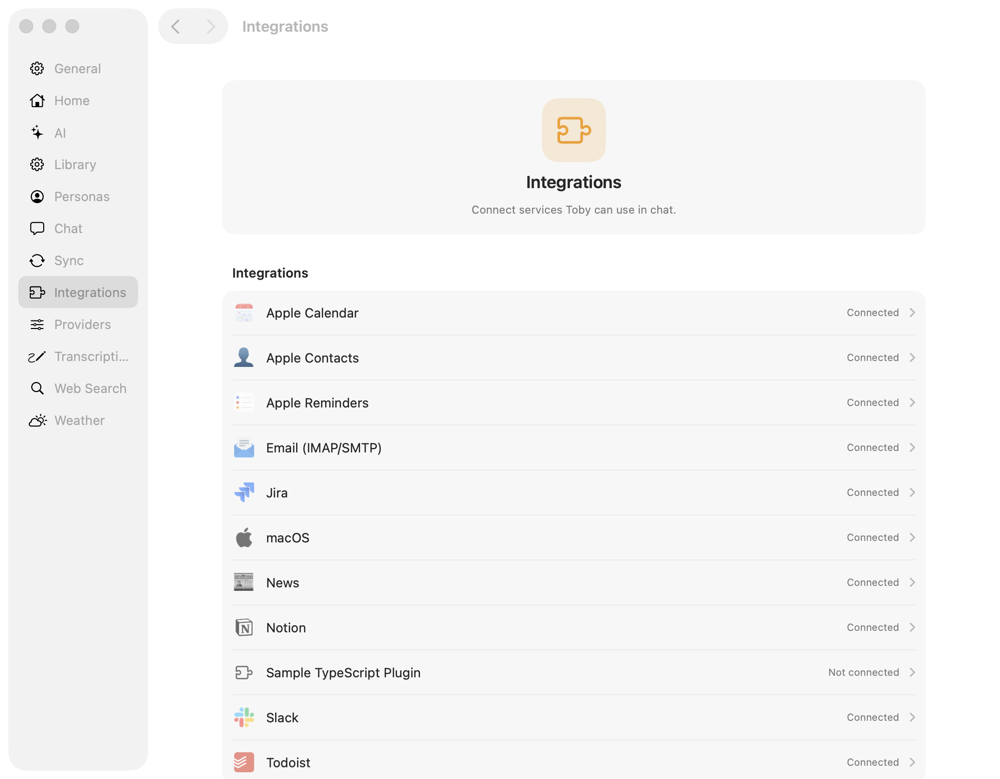
Open Settings (the gear in the toolbar, or ⌘,) and choose Integrations.
-
Click the integration you want.
-
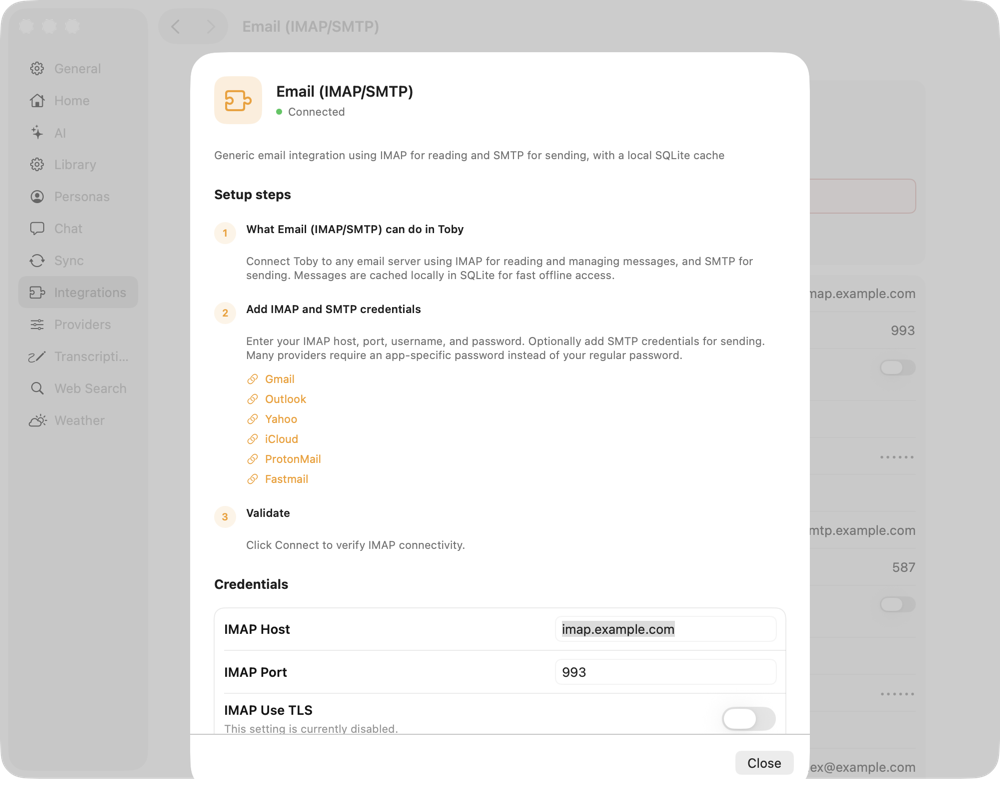
Click Setup Guide. It walks you through each step, with links to the right pages at your provider (for example, where to create a Gmail app password), and lets you fill in the details without leaving Toby.
-
Click Connect. Toby checks that everything works and shows Connected.
Some services (such as Slack) open your browser so you can approve access.
Check that it worked#
Go back to Settings → Integrations. Each row shows Connected or Not connected. Then try a question in chat, such as "What's on my calendar today?"
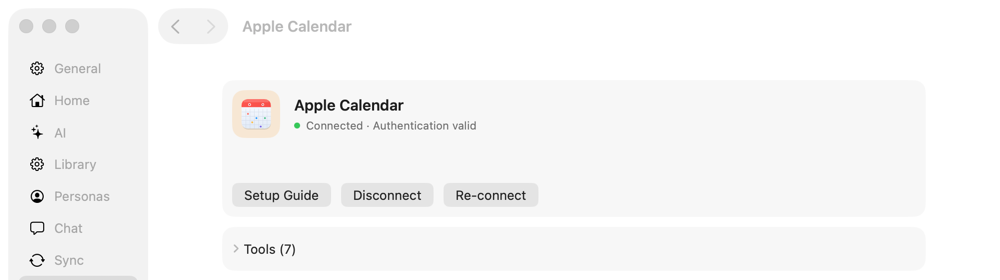
If something isn't working, open the integration and click Re-connect. To stop Toby from using a service, click Disconnect. This only removes Toby's access. Nothing is deleted from your account.
All integrations#
| Integration | What Toby can do with it |
|---|---|
| Read, search, summarize, draft, send, archive, and file messages | |
| Apple Calendar | View, create, update, and delete events |
| Apple Reminders | View, create, complete, and update reminders |
| Apple Contacts | Look up people's email addresses and phone numbers |
| macOS | Control Wi‑Fi, Bluetooth, volume, brightness, Focus, windows, and Shortcuts |
| Todoist | View, create, complete, and update tasks |
| Slack | Search messages and post, or let people @mention Toby in Slack |
| Notion | Search, read, and create pages |
| Jira | Search issues and read details and comments |
| News | Get headlines and search recent news |
| MCP servers | Add tools from any Model Context Protocol server (advanced) |
Web search and weather are built in. Turn them on under Settings → Web Search and Settings → Weather.