

Welcome to Toby
Toby is an AI assistant that lives on your Mac. It connects to the apps you already use, such as your email, calendar, reminders, and to-do list, so you can ask for help in plain English instead of switching between them.
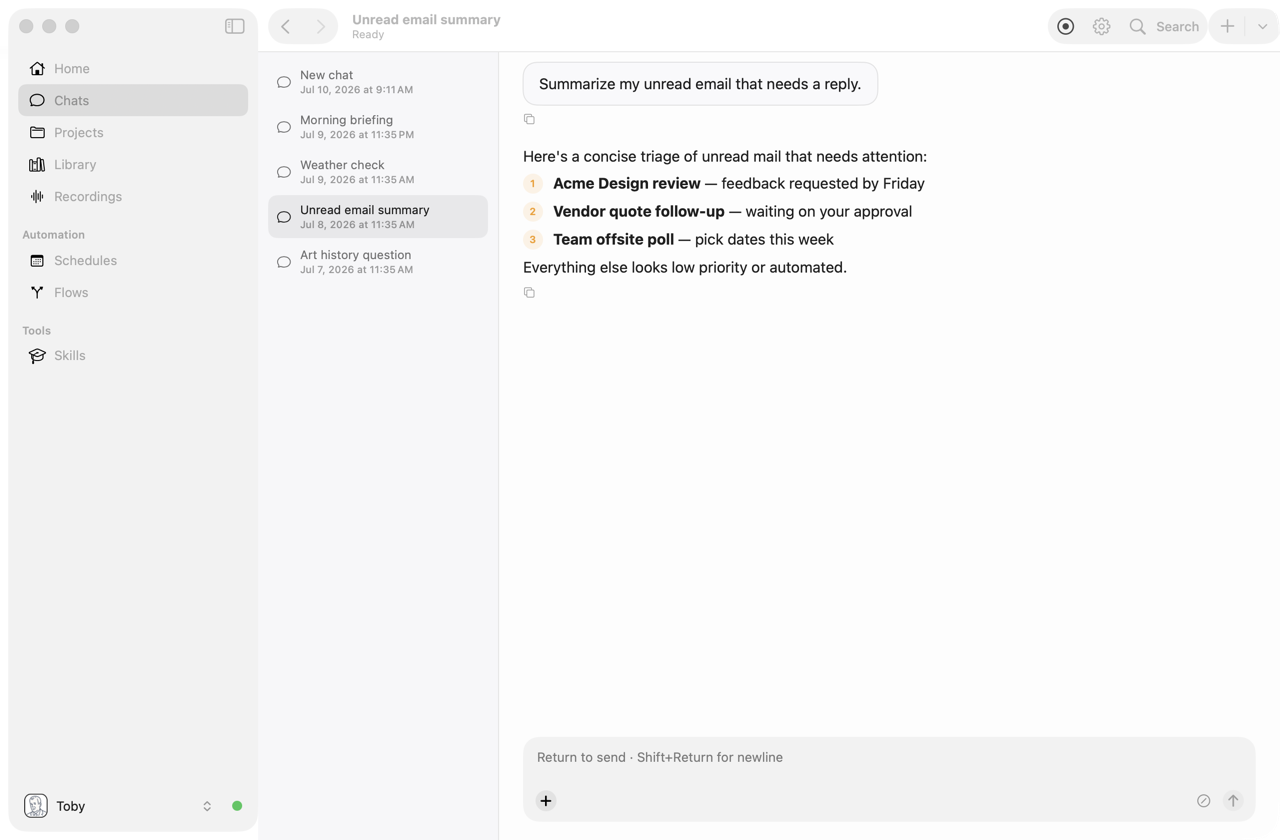
Ask "What needs a reply today?" and Toby reads your inbox. Ask "Move my 3pm to tomorrow" and it updates your calendar. Ask it to record a meeting, and you get a transcript and a list of action items when the meeting ends.
Who Toby is for#
Toby is for anyone whose day is spread across too many apps. You don't need to be technical to use it. If you can type a question, you can use Toby. It works especially well if you:
- Get more email than you can read, and want to know what actually matters
- Juggle meetings and want notes and action items without typing them up
- Keep tasks in Todoist or Apple Reminders and want help deciding what to do next
- Do the same report, recap, or check-in every week and want it done for you
What Toby can do#
Answer questions about your day
Connect your email, calendar, tasks, Slack, Notion, or Jira, and Toby can read and act on them for you. It can summarize, search, draft replies, create events and reminders, and pull information from several apps into a single answer. See Integrations.
Record and summarize meetings
Toby records your microphone and the audio from other apps (like Zoom or Teams), turns it into a transcript, and writes a summary with decisions and action items. See Recordings.
Do routine work on a schedule
Ask Toby to do something every morning, every Monday, or at the end of each month, such as "summarize my unread email at 8am" or "draft my weekly status update on Fridays." See Schedules and Flows.
Remember what matters to you
Tell Toby your preferences once ("I prefer meetings after 10am") and it remembers them in future chats. You can also keep reference files in your Library, group related work into Projects, and create Personas that change how Toby writes and what it prioritizes.
Control your Mac
Turn Wi‑Fi or Bluetooth on and off, change the volume, check the battery, run a Shortcut, or hide distracting windows, all by asking. See macOS.
Chat from Slack
Mention Toby in Slack and it replies in the thread, using the same knowledge and connected apps as on your Mac. See Chat surfaces.
How Toby works, in brief#
- It runs on your Mac. Toby is a native macOS app. Your settings, chat history, recordings, and passwords are stored on your computer, and passwords are encrypted. See Security.
- It uses an AI model you choose. Toby sends your requests to an AI service such as Vercel AI Gateway, OpenRouter, or OpenAI, or to a model running on your own Mac with Ollama. You add one key during setup. See Set up AI.
- It only sees what you connect. Toby can only reach the apps you connect in Settings → Integrations, and you can disconnect them at any time.
Get started#
Setup takes about ten minutes:
When you're set up, browse Things to try for ideas you can copy and paste.